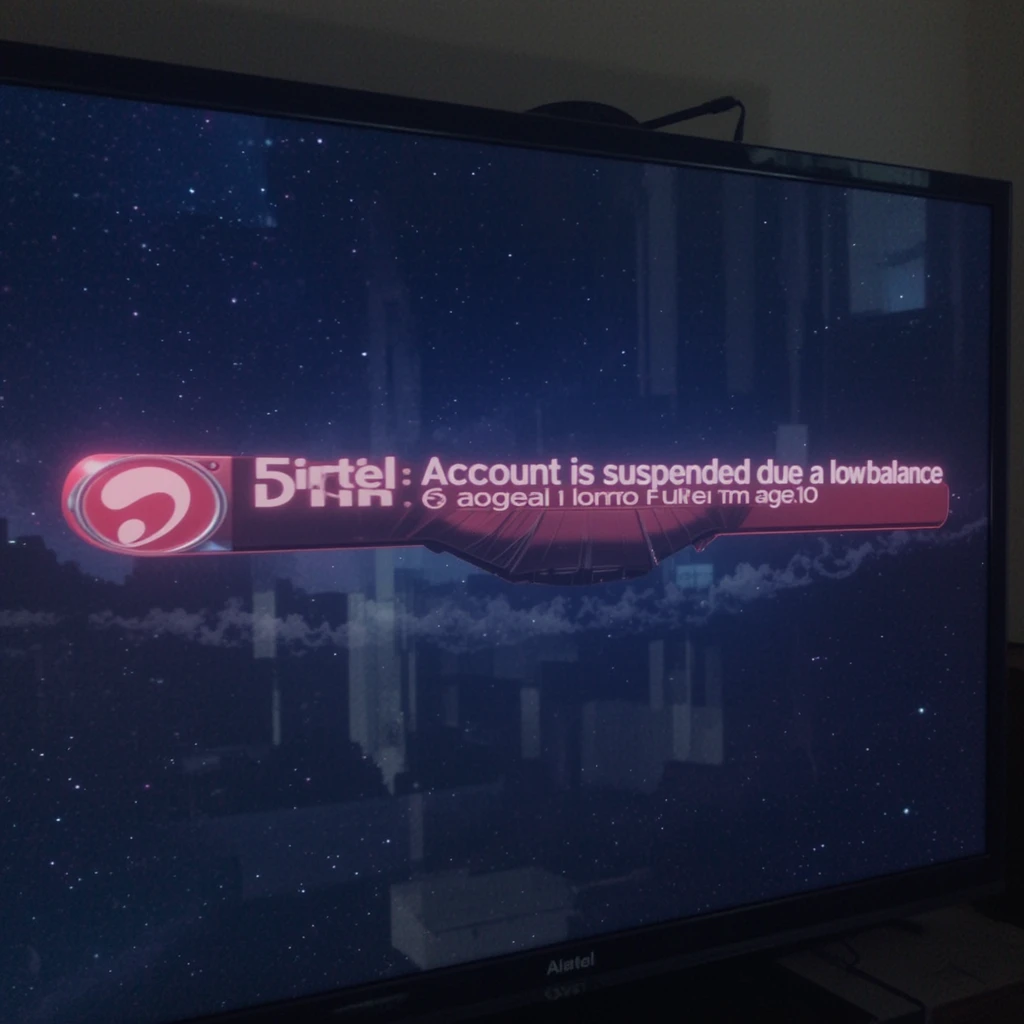
Airtel DTH error code 6 is one of the most common issues faced by subscribers, displaying the message “Account is suspended due to low balance (Error Code: 6)” on their television screens. This error typically occurs when the account balance drops below zero, preventing access to subscribed channels and services. Understanding how to resolve this error quickly and efficiently can save valuable time and restore your entertainment experience without delay.
The error code 6 issue affects thousands of Airtel DTH users daily, particularly during peak subscription renewal periods and when automatic recharge settings fail. This comprehensive guide provides step-by-step solutions, essential customer care contact information, and preventive measures to avoid future occurrences of this frustrating error.
Understanding Airtel DTH Error Code 6
What Causes Error Code 6
Error code 6 appears when your Airtel DTH account balance becomes negative or falls below the minimum required amount to maintain active services. This situation typically occurs when your monthly or periodic recharge expires, and insufficient funds remain to continue broadcasting subscribed channels.
Common scenarios that trigger error code 6 include expired recharge plans, failed automatic payments, insufficient account balance for daily deductions, or technical glitches in the billing system. The error serves as a protective mechanism to prevent unauthorized usage beyond paid subscription limits.
Impact on Service Access
When error code 6 appears, subscribers lose access to all premium channels, entertainment content, and value-added services. Only basic information channels like channel 99 (default information) and channel 121 (recharge information) may remain partially accessible.
The suspension affects both standard definition and high-definition channels equally, regardless of the subscription tier. Sports channels, movie channels, and regional content become unavailable until the account balance is restored to positive status.
Airtel DTH Customer Care Numbers for Error Code 6 Resolution
Primary Toll-Free Support Numbers
1800-103-6065 serves as the main 24×7 toll-free customer care number for all Airtel DTH subscribers across India. This number provides comprehensive support for error code 6 resolution, recharge assistance, and technical troubleshooting.
121 can be dialed from any registered Airtel mobile number for direct access to DTH customer support. This shortcode connects directly to specialized DTH support agents who can provide immediate assistance with error code 6 issues.
Regional Customer Care Numbers
Regional support numbers offer localized assistance in multiple Indian languages, ensuring effective communication during error resolution:
| Region | Customer Care Number | Coverage Areas |
|---|---|---|
| North Hub | 0124-4448080 | Delhi, Punjab, Haryana, UP, Rajasthan |
| East Hub | 033-44448080 | West Bengal, Bihar, Assam, Odisha |
| West Hub | 020-44448080 | Maharashtra, Gujarat, MP, Goa |
| South Hub | 080-44448080 | Karnataka, Tamil Nadu, Kerala, AP |
Emergency and Quick Resolution Numbers
98100-12345 provides 24×7 emergency support for critical DTH issues, including persistent error code 6 problems that resist standard troubleshooting methods.
198 serves as the dedicated complaints number for escalated issues when initial customer care interactions fail to resolve error code 6 problems effectively.
Step-by-Step Solution for Error Code 6
Immediate Recharge Method
Step 1: Account Balance Verification
Check your current account balance by pressing the information button on your remote control or calling customer care. Confirm the exact amount needed to restore positive balance status.
Step 2: Emergency Recharge
Perform an immediate recharge through the Airtel Thanks app, official website, or by calling the toll-free customer care number. Ensure the recharge amount covers both the negative balance and provides sufficient credit for ongoing services.
Step 3: Activation Wait Period
After successful recharge, keep your set-top box powered on for at least 20 minutes to allow the system to process the payment and reactivate services. This waiting period is crucial for proper signal refresh and channel restoration.
Using Airtel Thanks App for Error Resolution
The Airtel Thanks app provides the fastest method for resolving error code 6 issues through its integrated troubleshooting system.youtube+1
Opening the Support Channel:
Launch the Airtel Thanks app and tap the “Help” option located at the bottom right of the screen. Select “Chat Now” to access the automated support system specifically designed for DTH error resolution.
Error-Specific Navigation:
Choose “Network Related Issues” followed by “Unable to View Channels.” Select “TV Code 6 Account Suspended” from the available options to access specialized troubleshooting guidance.
Automated Resolution Process:
The chatbot will guide you through account verification, recharge options, and service restoration steps. If automated resolution fails, a support ticket will be automatically generated for human agent intervention.
Alternative Recharge Methods
SMS-Based Recharge
Send “RECHARGE” to 54325 from your registered mobile number to access quick recharge options via SMS. This method works even when internet connectivity is limited.
Customer Care Telephone Recharge
Call 1800-102-8080 and follow the automated menu to complete recharge transactions over the phone. Customer service representatives can process payments using credit cards, debit cards, or net banking.
Physical Recharge Locations
Visit authorized Airtel retailers, mobile recharge shops, or Airtel stores for immediate cash-based recharges. This option proves valuable during payment gateway failures or technical difficulties.
Advanced Troubleshooting for Persistent Error Code 6
Set-Top Box Refresh Procedures
Manual Refresh Method
Give a missed call to 84482-84708 from your registered mobile number to trigger an automatic connection refresh. This process forces the set-top box to communicate with Airtel servers and update account status.
SMS Refresh Command
Send “HR” to 54325 from your registered mobile number to initiate a hard refresh of your DTH connection. The refresh process typically completes within 15-30 minutes.
Hardware Reset Procedures
Complete System Restart
Turn off your set-top box, disconnect the power cable for 30 seconds, then reconnect and power on. This process clears temporary system errors that might prevent proper error code 6 resolution.
Viewing Card Maintenance
Remove the viewing card from your set-top box, clean it gently with a soft cloth, and reinsert it with the chip facing downward and arrow pointing toward the box. Improper card placement can sometimes interfere with account status updates.
When to Contact Customer Care for Error Code 6
Escalation Triggers
Contact customer care immediately if error code 6 persists more than 2 hours after successful recharge and completion of basic troubleshooting steps. Prolonged errors often indicate backend system issues requiring technical intervention.
Account Balance Discrepancies
If your account shows positive balance but error code 6 continues appearing, contact customer care for account reconciliation. This situation suggests database synchronization problems that require manual correction.
Information to Provide Customer Care
Essential Account Details:
Prepare your customer ID number, registered mobile number, recent recharge transaction details, and the exact time when error code 6 first appeared.
Technical Information:
Note your set-top box model number, current software version (if accessible), and any error message variations you’ve observed. This technical information helps customer care agents diagnose complex issues more efficiently.
Preventing Future Error Code 6 Occurrences
Automatic Recharge Setup
Airtel Thanks App Auto-Recharge
Enable automatic recharge features within the Airtel Thanks app to prevent account balance from reaching negative status. Set recharge triggers at least 5 days before plan expiration.
Payment Method Configuration
Link multiple payment methods including credit cards, debit cards, and UPI accounts to ensure recharge completion even if one payment method fails.
Balance Monitoring Strategies
Regular Balance Checks
Check your account balance weekly by calling 81300-81300 (missed call) or using the Airtel Thanks app. Proactive monitoring prevents unexpected service suspensions.
Recharge Reminder Setup
Configure reminder notifications 7 days and 3 days before plan expiration through the Airtel Thanks app or SMS alerts.
Special Circumstances and Solutions
Festival Season Challenges
During peak festival seasons, increased network traffic can delay error code 6 resolution. Allow up to 4 hours for complete service restoration during high-demand periods.
Technical System Maintenance
Airtel occasionally performs backend system maintenance that can cause temporary error code 6 appearances even with positive account balances. These issues typically resolve automatically within 2-3 hours.
Multiple Device Issues
If error code 6 appears on multiple Airtel DTH connections simultaneously in your area, it likely indicates regional technical problems. Contact customer care to report widespread issues and receive updates on resolution timelines.
Additional Support Resources
Online Self-Service Options
The official Airtel DTH website provides comprehensive troubleshooting guides, recharge options, and account management tools. Access detailed error code explanations and step-by-step resolution procedures without calling customer care.
Social Media Support Channels
Airtel maintains active customer support through Facebook and Twitter, where you can report error code 6 issues and receive public assistance. Social media channels often provide faster response times for urgent problems.
Community Forums and Resources
DTH community forums like DreamDTH provide user-generated solutions and experiences with error code 6 resolution. These platforms offer alternative troubleshooting methods and real-world success stories.
Conclusion
Error code 6 in Airtel DTH, while frustrating, is typically easily resolvable through immediate recharge and proper system refresh procedures. The key to quick resolution lies in understanding the underlying cause – negative account balance – and taking prompt corrective action.
Primary resolution steps include immediate account recharge, maintaining the set-top box in powered-on status for at least 20 minutes post-recharge, and using the Airtel Thanks app for guided troubleshooting. When self-service methods fail, Airtel’s comprehensive customer care network provides 24×7 support through multiple contact channels.
Prevention strategies such as automatic recharge setup, regular balance monitoring, and multiple payment method configuration can eliminate future error code 6 occurrences. By combining reactive resolution techniques with proactive prevention measures, subscribers can ensure uninterrupted DTH service and optimal entertainment experience.
Remember that customer care numbers 1800-103-6065 and 121 provide immediate assistance for error code 6 resolution, while regional numbers offer localized support in multiple Indian languages. The Airtel Thanks app remains the most efficient tool for quick error resolution and ongoing account management.
More Details Visit Airtel